47 new styles in Butter Motion
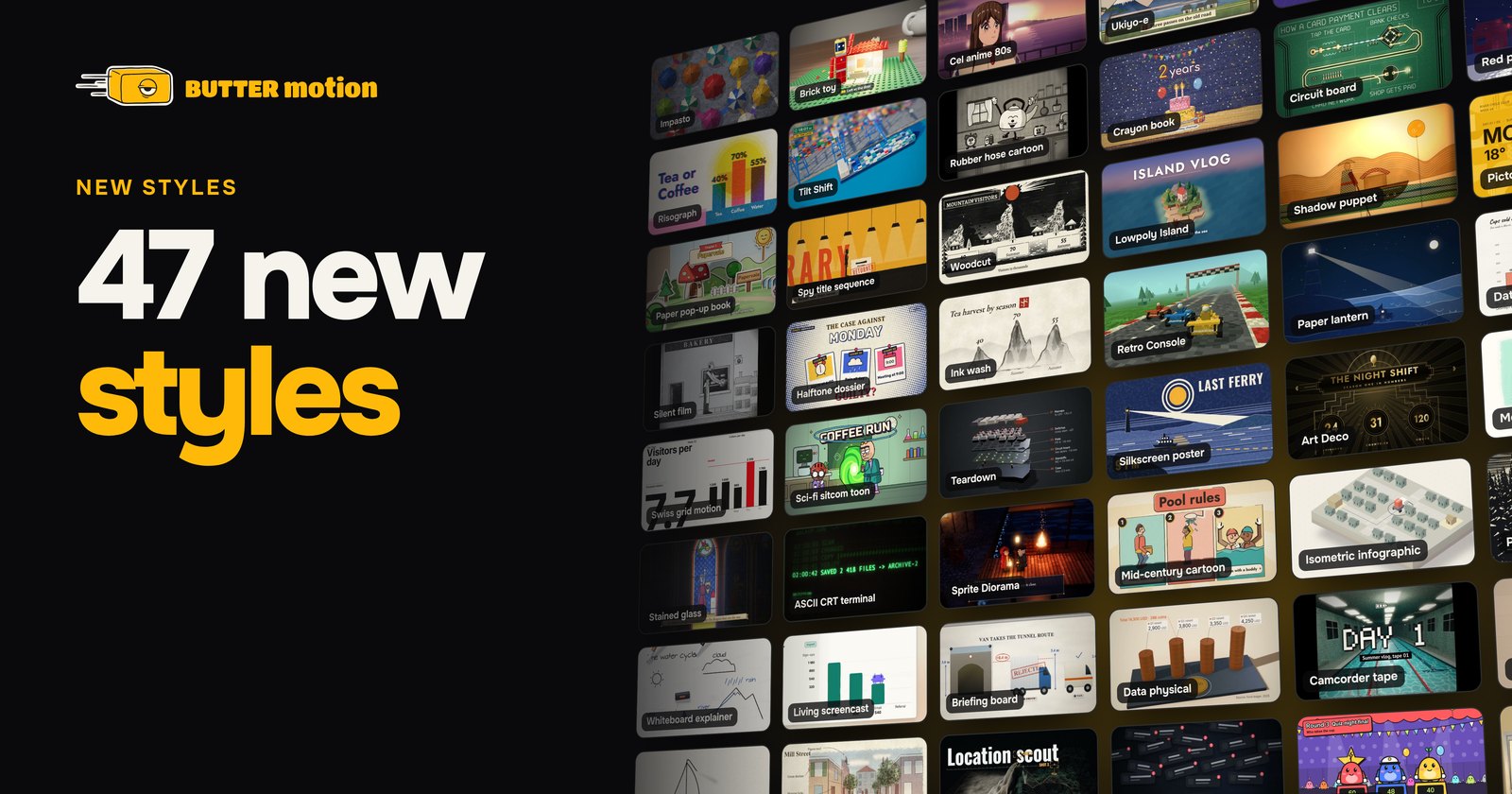
Butter Motion 1.5.0 adds 47 new Animation styles, bringing the total to 62. Below are the new styles by section and the videos they fit. Pick a style in the Style window, or just describe the look you want in your prompt and Auto will pick it for you.
3D
13 new 3D styles: from a city that looks like a tabletop model to a gadget taken apart layer by layer.
- Tilt Shift for travel vlogs and city videos: a port, a market or a street seen from above looks like a toy model.
- Brick toy for tech blogs and kids' channels: a world of plastic bricks on a real desk.
- Teardown for gadget reviews: a device comes apart into labeled layers and goes back together.
- Plus Paper pop-up book, Lowpoly Island, Retro Console, Camcorder tape and more.
Painting and drawing
9 new styles in the Drawn & painted section.
- Impasto for beautiful intros and travel videos: thick oil paint laid on with a palette knife.
- Ink wash for stories and calm explainers: mountains and ink strokes on rice paper.
- Shadow puppet and Paper lantern for fairy tales and storytelling: a shadow theater and paper lanterns lit from inside.
- Plus Stained glass, Crayon book, Red paper-cut and more.
Print and paper
6 new styles in the Print & paper section.
- Ukiyo-e for nature, travel and history videos: a Japanese woodblock print with flat colors and soft graded skies.
- Risograph and Swiss grid motion for analytics and numbers: a chart becomes a poster.
- Halftone dossier for true crime and investigations: an old dossier with stamps and big headlines.
- Plus Woodcut and Silkscreen poster.
Retro and cartoons
9 new styles in the Retro & cartoon section.
- Rubber hose cartoon for mascots and funny inserts: a black-and-white 1930s cartoon with rubbery characters.
- Cel anime 80s for music and night-time videos: a late-1980s anime opening over a neon city.
- Spy title sequence and Silent film for intros and titles: a 1960s spy film and 1920s silent cinema.
- Plus Game show, Sci-fi sitcom toon, Art Deco and more.
Screens and explainers
10 new styles in the Type & screens and News & explainers sections.
- Hologram HUD for gadget reviews: an object is scanned into a hologram with labels and numbers.
- Isometric infographic for popular science and education: a small world at an angle shows how a process works.
- Whiteboard explainer and Data storytelling for lessons and analytics: a marker writes on a whiteboard, a pencil draws a chart.
- Plus Circuit board, Briefing board, Pictogram motion and more.
How to pick a style
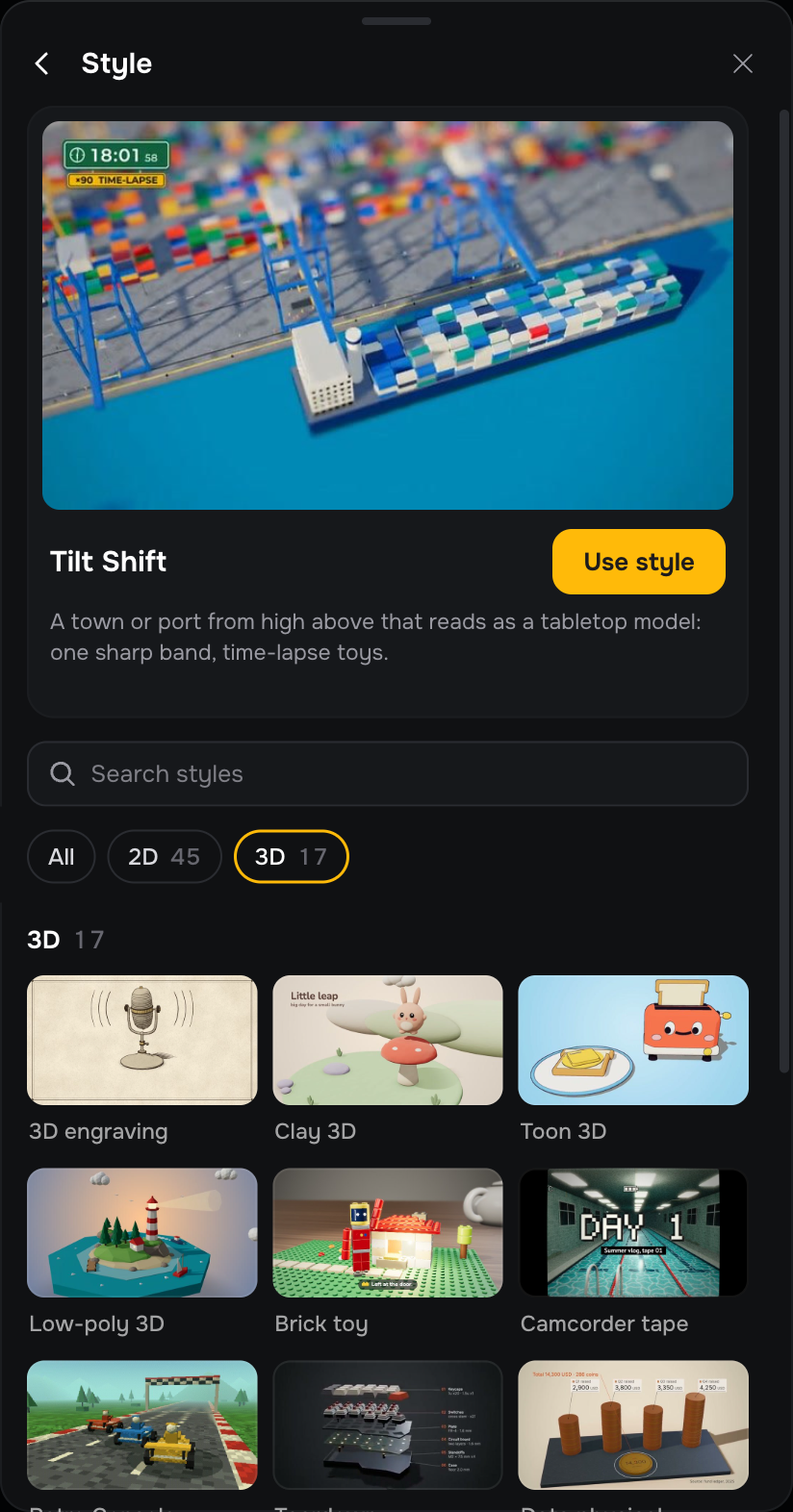
- Click Style in the prompt box. A window with every style opens: the All, 2D and 3D tabs, sections and a preview of each style.
- Search for a style with Search styles by name or description, for example "oil paint" or "anime".
- Or don't pick anything: describe the look in your prompt, and Auto will pick a fitting style for you.
The new styles work with the Animation model. Update the plugin to 1.5.0, and they will appear in the Style window. You can see every style on the examples page. For everything else in this update, read the 1.5.0 patch notes.