Payment methods & currencies
Butter Motion takes payment in three currencies through Lava.top, our payment provider. Card details are handled by Lava and its bank, so Butter Motion never stores your card.
Currencies
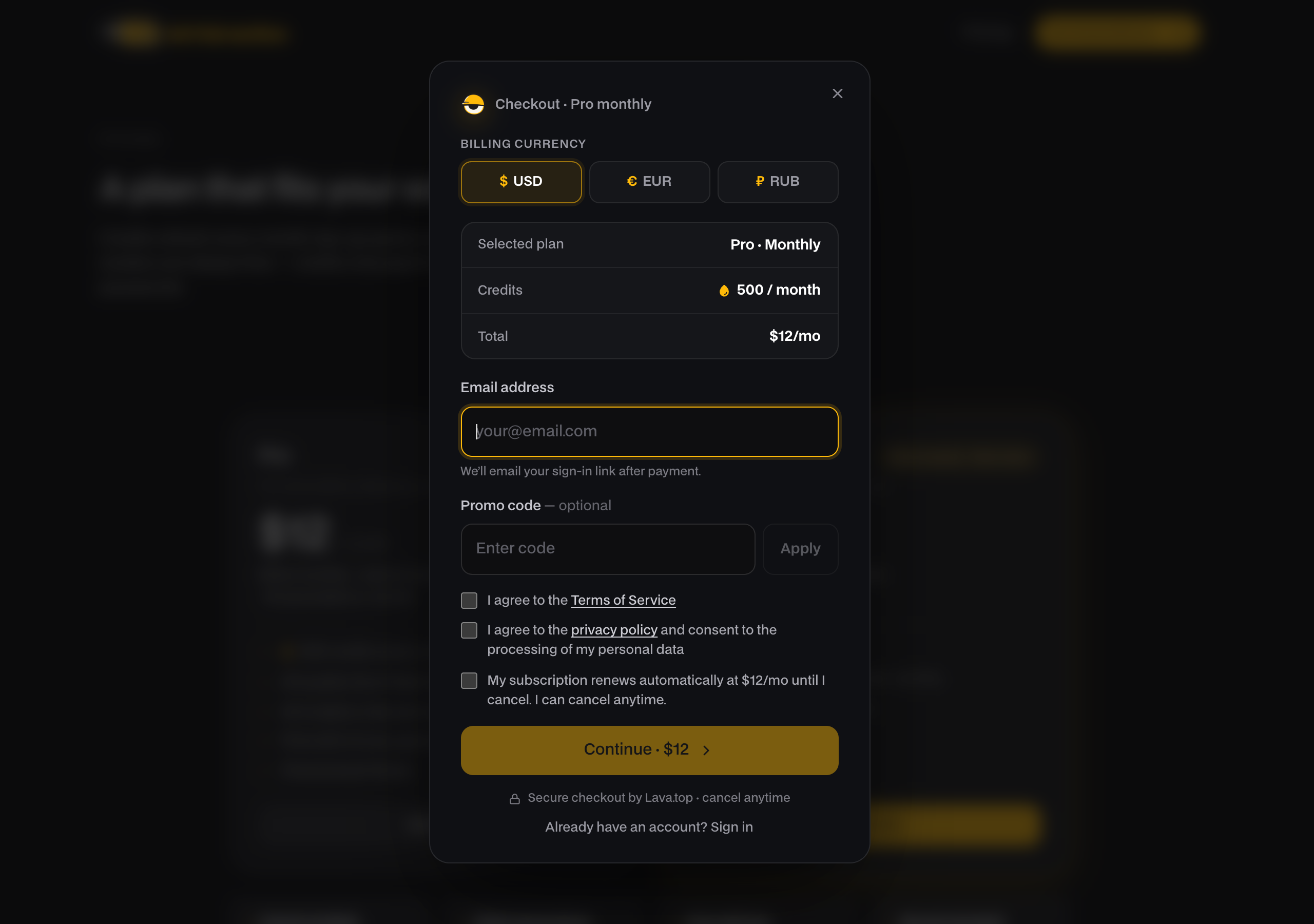
You can pay in USD, EUR, or RUB. Pick your currency at checkout with the currency toggle, and prices update for the one you choose.
Payment methods
Which methods are available depends on the currency and on what you're buying, a subscription or a one-time top-up.
| USD / EUR | RUB | |
|---|---|---|
| Subscription (Pro / Studio) | Card, PayPal | Card |
| Top-up pack | Card, Apple Pay, PayPal | Card, SBP |
Subscriptions can only be paid by card or PayPal. The provider doesn't accept Apple Pay, SBP, or SEPA for recurring payments. Those extra methods (Apple Pay, SBP) are available for one-time top-ups.
The Free plan needs no payment and no card. You only pay if you upgrade to Pro or Studio or buy a top-up pack, and top-up packs can be bought on Free too. See Plans: Free, Pro & Studio.
How checkout works
- On the site, pick your plan or top-up pack and open the checkout.
- Choose your currency and, for top-ups, your payment method.
- Enter the email you'll use for access. This one is required. Your account is created against this email after payment, so use one you can receive mail at.
- Agree to the checkout terms (the offer, personal-data processing, and, for subscriptions, automatic renewal).
- Pay. Checkout opens the secure Lava.top payment page in a new tab, and you complete the payment there.
Once the payment goes through, your account is created (or credited) and access is sent to that email. After you pay, the tab where you started checkout switches by itself to a Butter Motion page with the result: what you bought, the amount and the renewal date. If the payment didn't go through or was cancelled, the payment tab shows that.
Enter your email carefully. Access and credits are tied to the email you type at checkout, so a typo there means your account is created under the wrong address.
Receipts
The payment is processed by Lava.top. There's no separate downloadable receipt file inside Butter Motion. If you need a fiscal receipt, write to support@buttermotion.com and we'll help.