Payment & credit history
Your account keeps two separate logs: Payment history (the money, every charge) and Credit history (the credits, every generation, grant, and refund). They live on different pages in your account.
Payment history
This is the record of your charges. Each row shows the date, a description, the amount, and a status:
- Paid. The payment went through.
- Failed. The payment didn't go through.
- Refunded. The money was returned to you, in full or in part.
- Disputed. Your bank opened a dispute (chargeback) for this payment.
Click Details on a row to expand it. The details show the date, amount, status, the Payment ID, and the email on the payment. For a failed payment it also shows the reason it didn't go through.
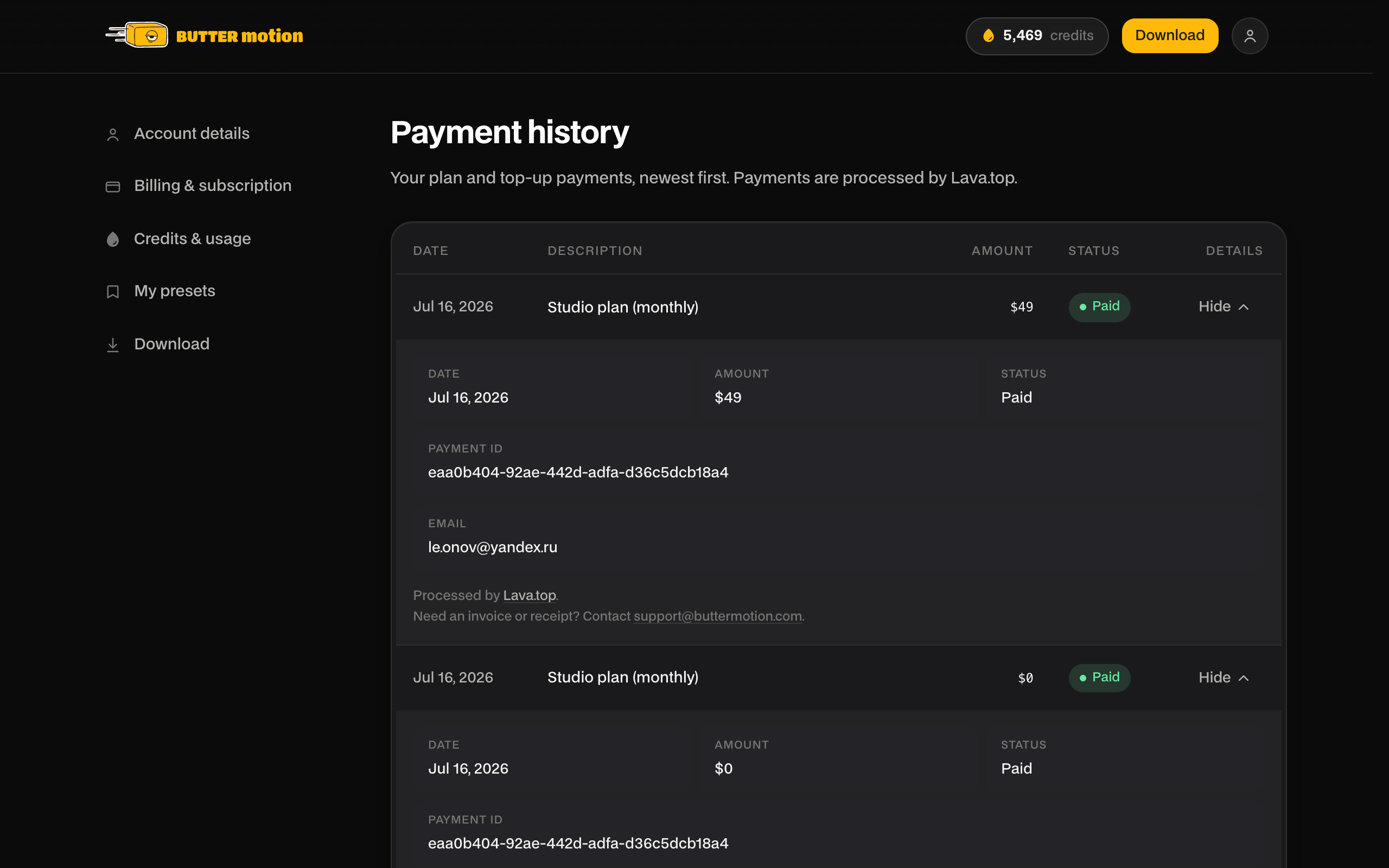
Payments are processed by Lava.top, so there's no separate receipt file here. If you need an invoice or fiscal receipt, write to support@buttermotion.com.
Credit history
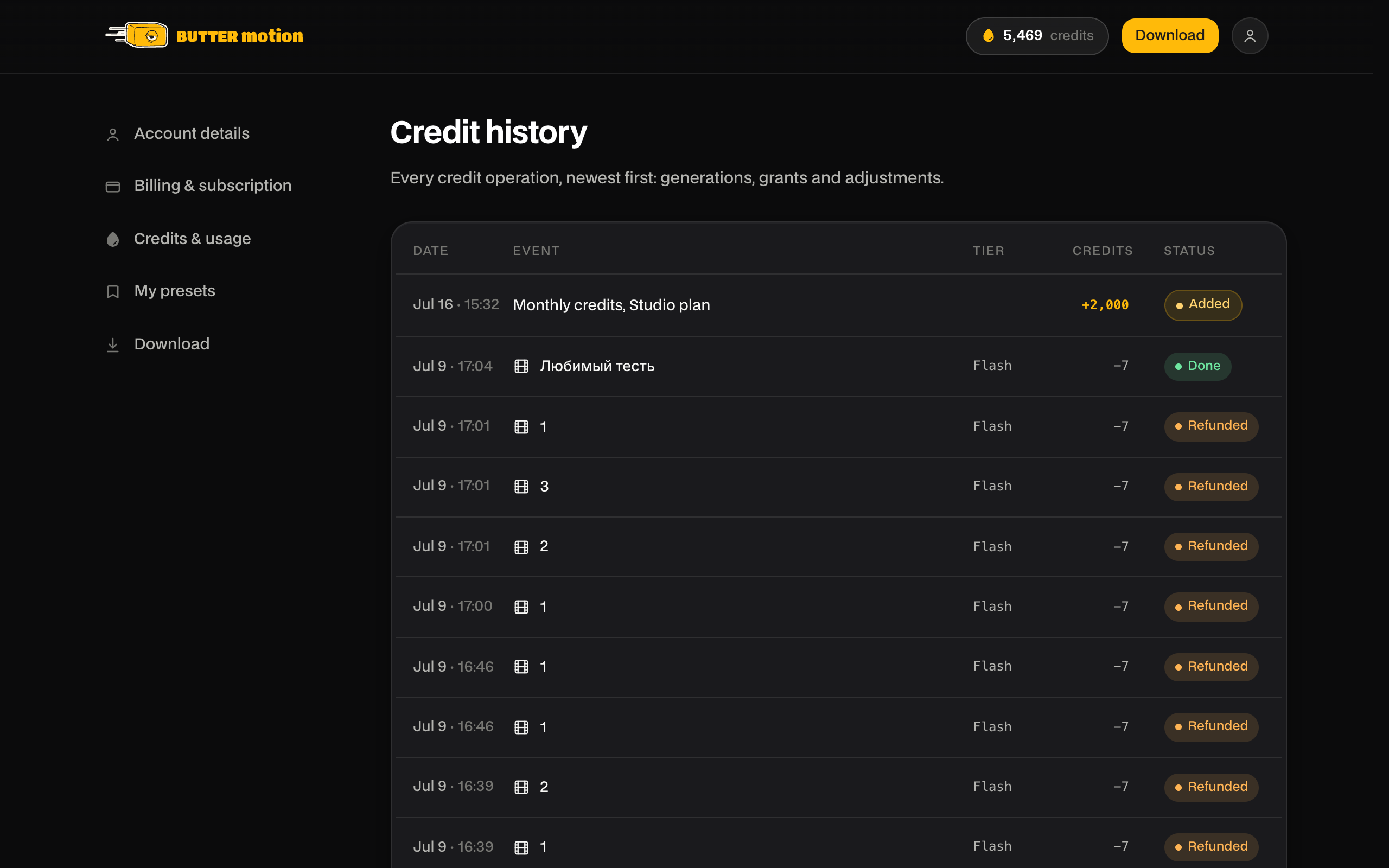
This is the record of your credits, everything that added or spent them, newest first. Each row shows the date, the event, the quality tier where it applies, the credits, and a status.
Rows you'll see:
- Generations, named after the clip, with the tier (Flash / Ultra / Animation) and a Done or Refunded badge. While a generation is still running its credits are on hold: the row shows In progress and a plain Generation label, and the clip name appears once it finishes.
- Tweaks. Every edit you describe in words shows as Tweak, named after the generation it belongs to. On Pro and Studio the first tweak of a generation sits at 0 credits and every tweak after it costs 5. On Free every tweak costs 5.
- Grants, meaning Monthly credits when your plan renews, Credit pack when you buy a top-up, and Monthly credits N/12 for annual plans.
- Other events, like Plan credits expired when a monthly grant lapses, plus renewal-off and adjustment entries.
Refunds don't get their own row. Instead the generation they belong to flips to a Refunded status, so you don't see the same event twice.
Need a receipt?
There's no downloadable receipt inside Butter Motion. If you need an invoice or fiscal receipt for a payment, email support@buttermotion.com with the Payment ID from the payment's details.