Editing a generation
Not every generation lands exactly right the first time. Instead of starting over, you can tweak it: describe one change in plain words, and Butter Motion edits the existing clip surgically, keeping everything else the same.
How a tweak works
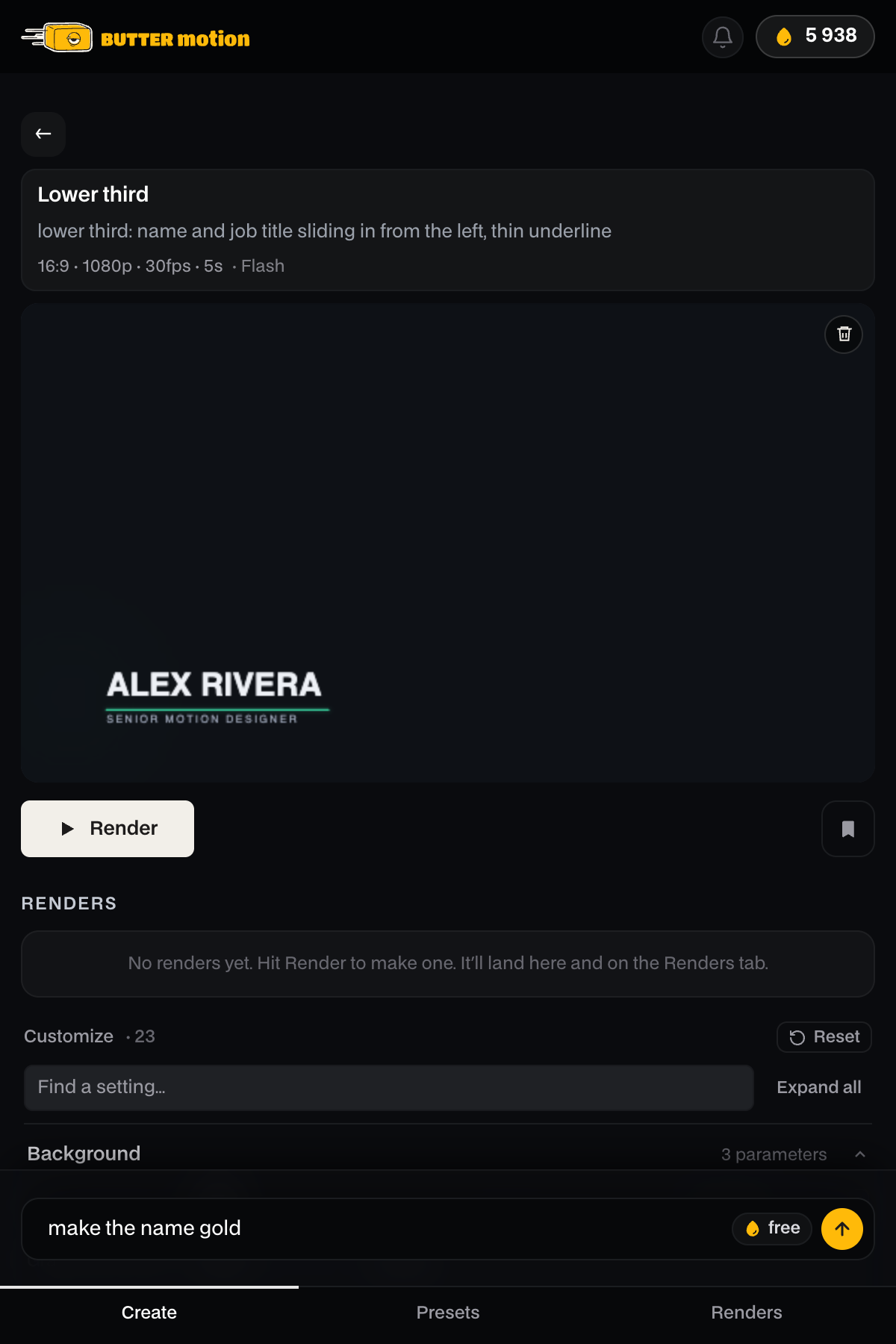
Type what you want changed into the tweak field at the bottom of the result screen, for example «make the headline gold» or «slow the entrance down», and press ↑ or Enter. Butter Motion reads the current composition and applies only your instruction. It never rebuilds the scene from scratch, so the parts you liked stay put.
Each tweak creates a new version of the card. The original is kept, so you can page back to it at any time (see The result screen).
Images and settings in a tweak
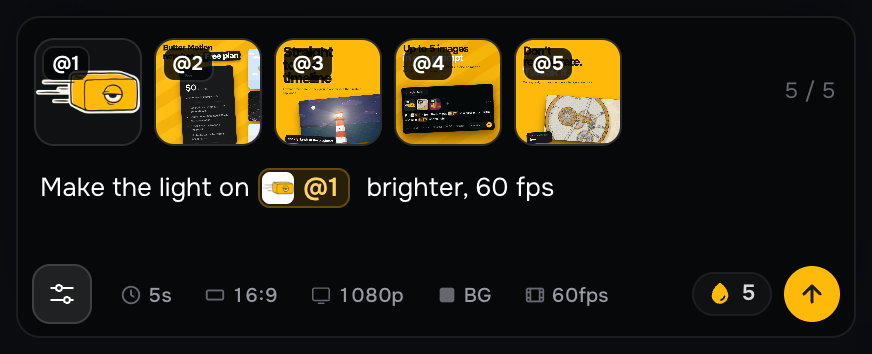
The settings button on the left of the tweak field opens the clip's images and the settings of the first prompt: length, format, resolution, background and fps.
- Point to a picture by its tag, like in a prompt: «make the light on @1 brighter». Type @ to pick one.
- Click + to add a new image, it gets the next tag. A tweak holds up to 5 images in total.
- Change the length, format, resolution, background or fps, and the tweak applies them together with your words. A tweak with new settings costs the same as any tweak.
Tweak vs. a new generation
A tweak and a new generation are different tools:
- A tweak is a small, targeted edit on top of a result you already have. Same scene, one change.
- A new generation starts fresh from a prompt and builds a completely new clip.
If you want a different concept, generate again. If you like what you have and just want to adjust it, tweak.
What a tweak costs
On Pro and Studio the first tweak on every generation is free. The second and each one after that costs 5 credits. On Free there is no free tweak: every one costs 5 credits, the first one included.
| Action | Pro and Studio | Free |
|---|---|---|
| First tweak of a generation | Free | 5 credits |
| Each additional tweak | 5 credits | 5 credits |
The price is always shown before you send the tweak, so there are no surprises. Previewing and re-rendering are always free.
On Pro and Studio the first tweak is free, so it pays to make your biggest fix first. If two things are off, describe both in one tweak rather than sending two. On Free that also saves you 5 credits.
Tips for writing a good tweak
- Change one thing at a time. Small, specific instructions land more reliably than «make it better».
- Say what to change, not how to code it: «make the background darker», «add a second bounce», «use a bolder font».
- If a change comes out wrong, page back to the previous version and try a different wording. You are never stuck with a bad edit.