Renewal, cancellation & resuming
A subscription renews automatically until you cancel it. This page covers when you're charged, how to turn renewal off, and how to start it again.
Automatic renewal
While your subscription is active, it renews on its own at the end of each period. The card on file is charged and a fresh batch of credits lands. A monthly plan renews about a month after purchase, and an annual plan renews a year later.
You can see your next renewal date in a few places:
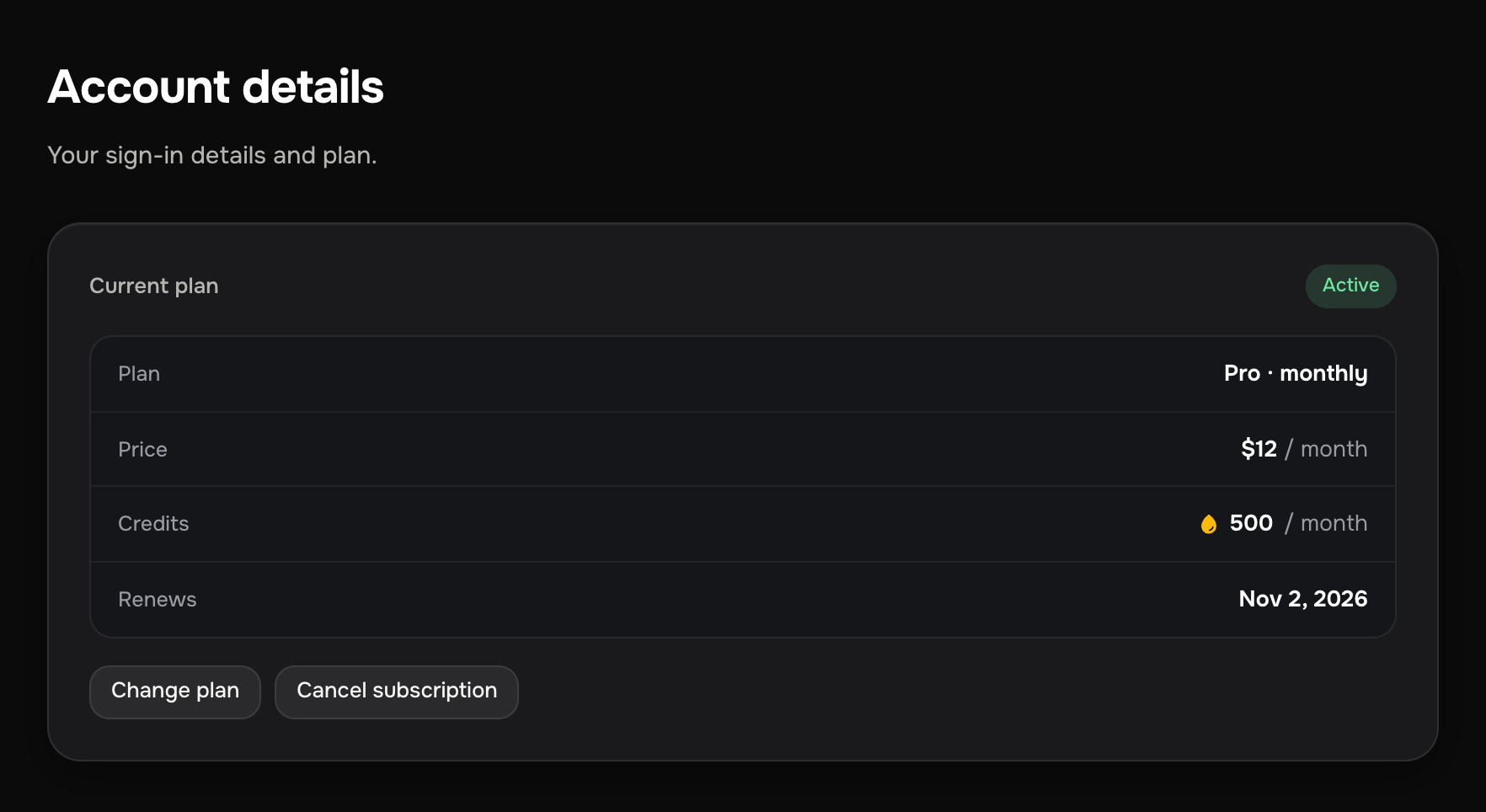
- On Account details in your account, in the Current plan card (the Renews row). On a monthly plan, Credits & usage shows the same date: that's when your plan credits expire and reset.
- In the confirmation shown after a successful payment.
- In the email we send around each charge.
Cancelling
Cancelling turns off automatic renewal. On the Billing & subscription page, the Current plan block at the top has a Cancel subscription button (the same button sits next to Change plan on Account details). It opens a short flow:
- One optional question: what didn't work. You can skip it and press Continue cancelling straight away.
- The confirmation: your plan, your account, until when access and plan credits stay, and that there will be no more charges. Press Cancel subscription.
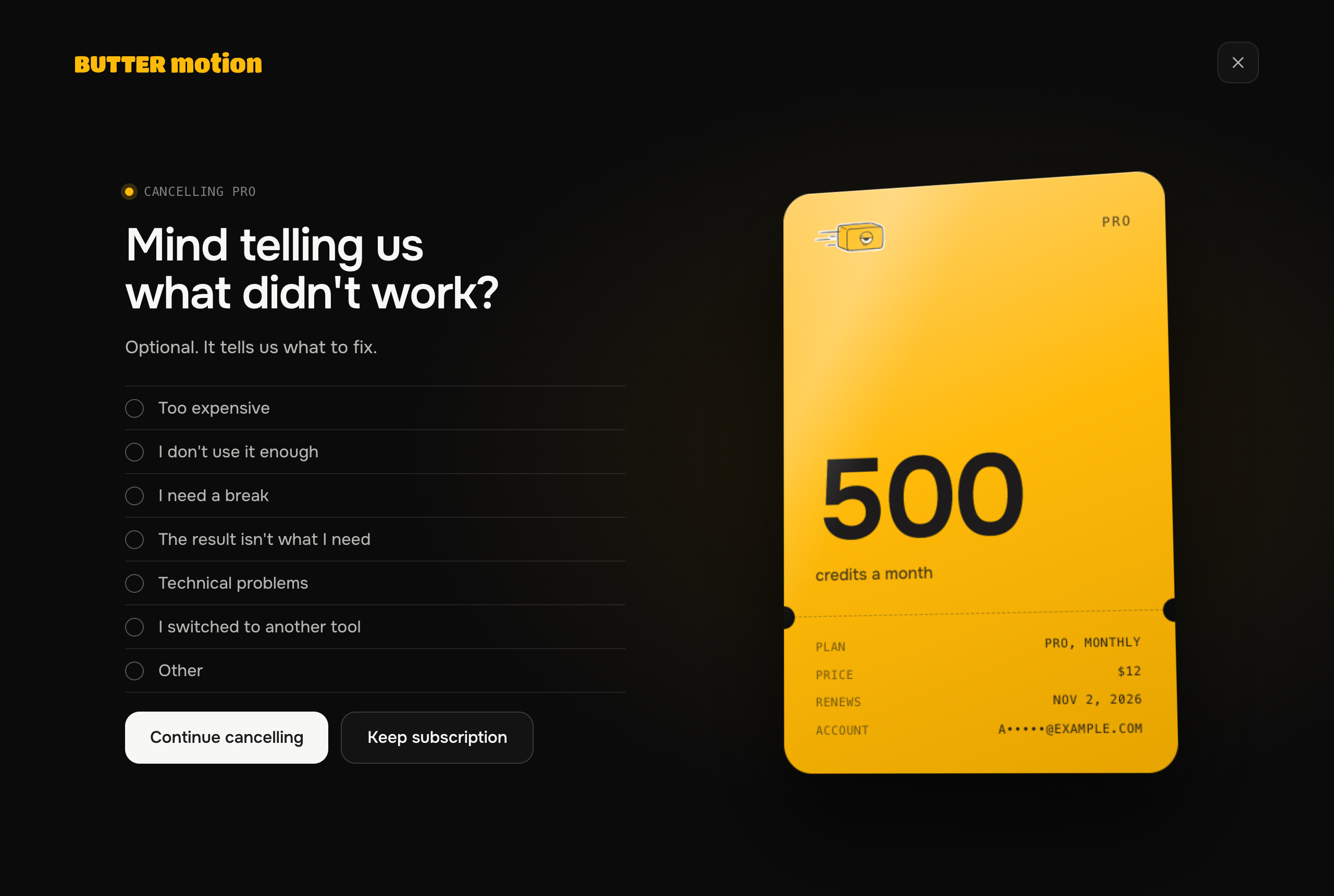
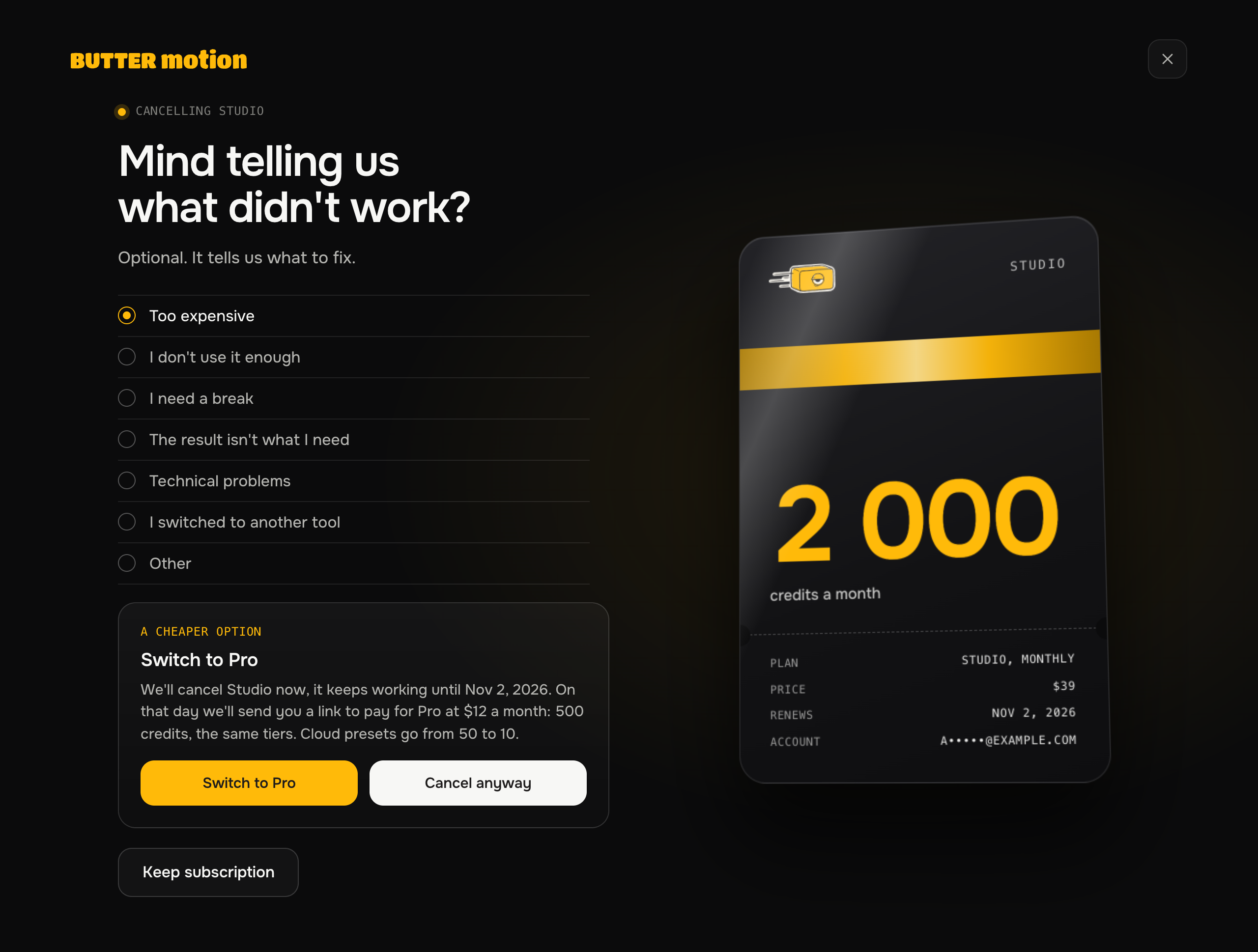
Depending on your answer, a short note or our support contacts may appear under the question. If you're on Studio with monthly billing and pick Too expensive, you may get one offer: switch to Pro from the next cycle, as described in Switching plans & periods. Take it or press Cancel anyway. A cancellation never comes with more than one offer.
That's two clicks after the first button. If you pay in euros, the first button opens the confirmation directly. You can also go straight to the confirmation with the direct link buttermotion.com/account?cancel=1#billing (sign in first if asked).
You don't lose anything immediately:
- Your access and credits stay until the end of the period you've already paid for. Cancelling is not a refund. You keep what you paid for through the end of the cycle.
- After that date, Pro or Studio stops renewing and your account moves to the Free plan on its own: 50 credits every month. The billing page shows that date while the paid period is running.
Once cancelled, the last screen shows until when your plan works, when you move to Free, and the time your request was received. Your plan shows an "Ends {date}" status instead of "Active," and you get a confirmation email with the date and time of the request.
If the last renewal payment didn't go through, cancelling closes access right away: there is no paid period left to run, and there will be no more charges. Your account moves to Free.
If the payment provider refuses the cancellation, you see that on screen with a Try again button. Your request is saved with its time; if retrying doesn't help, write to support@buttermotion.com.
Any top-up credits you bought are not affected by cancelling. They never expire, so they stay in your balance even after the plan lapses.
Free itself has nothing to cancel: it's the base plan of every account and costs nothing.
What happens to credits after cancelling
- Plan credits you already have keep working until the end of the paid period, then expire with the plan. After that, 50 Free credits arrive every month.
- Top-up credits stay in your balance indefinitely, and cancelling doesn't touch them.
Resuming
Changed your mind? You can start the subscription again, but there's no switch that puts automatic renewal back on. Resuming always means paying for a new period.
Once renewal is off, your plan's card on the Billing & subscription page shows a Renew Pro (or Renew Studio) button. It opens the usual checkout, and the new period starts from the moment you pay.
- While the paid period is still running. Paying starts the new period straight away. Nothing you paid for is lost: the credits still on your balance carry over into the new cycle.
- After the plan has lapsed and you're on Free. Upgrade from the same page, through the same checkout, and your leftover Free credits carry over.
- On an annual plan the paid year keeps running to its last day, so a new purchase isn't accepted while it does. You can buy it again after the date shown on your plan, or write to support@buttermotion.com and we'll help.