Switching plans & periods
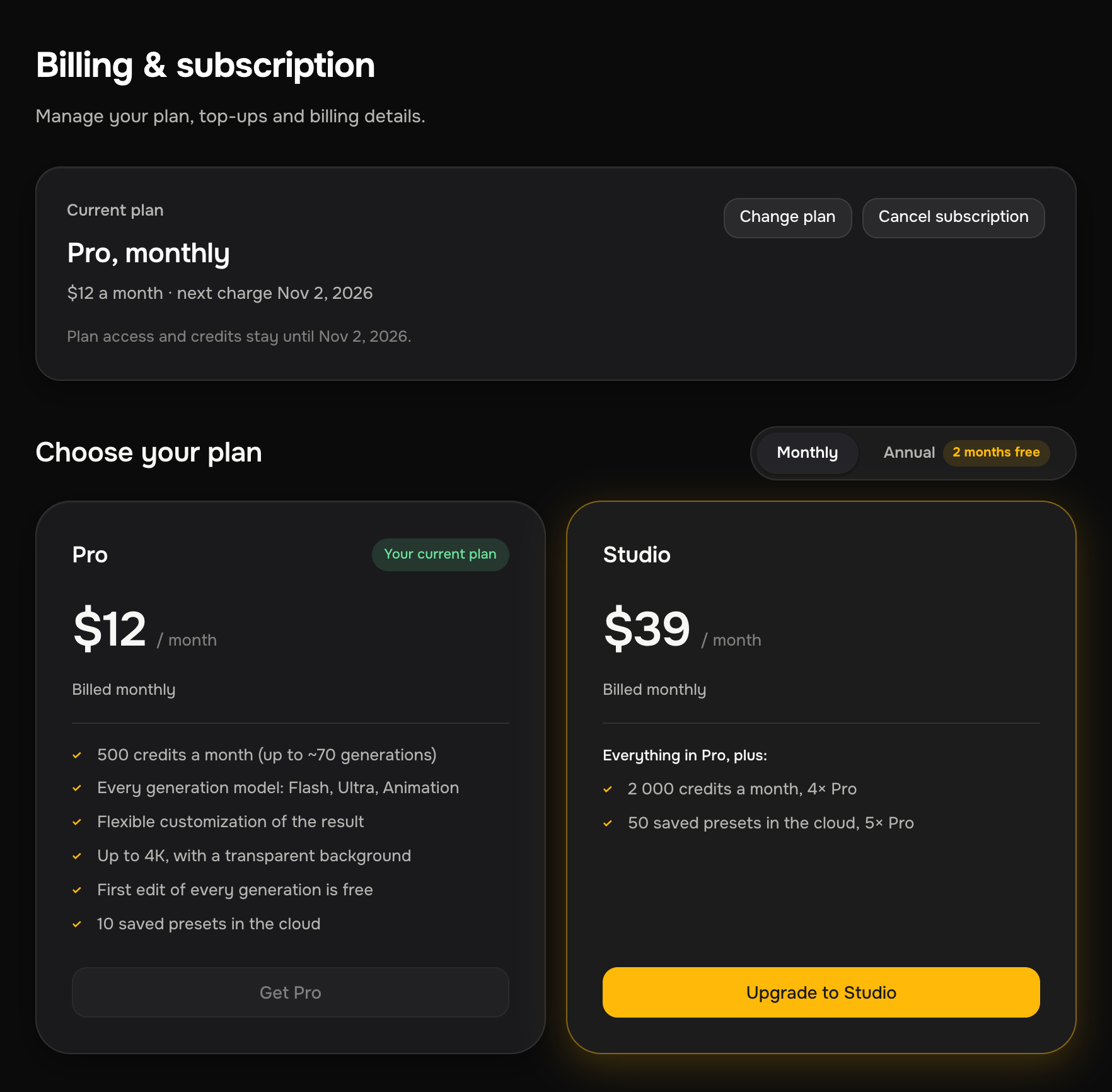
You can move from Free to Pro or Studio, between Pro and Studio, and between monthly and annual billing, from Billing & subscription in your account. What happens depends on the direction you're going.
Upgrading from Free (Free → Pro or Studio)
On Free, click Upgrade to Pro on Account details, or pick Pro or Studio on Billing & subscription (the Upgrade to Pro and Upgrade to Studio buttons). The upgrade takes effect right away once the payment goes through. You get the paid plan's monthly credits, the free first edit on every generation and room in the cloud library, and your leftover Free credits carry over on top.
Upgrading (Pro → Studio)
An upgrade takes effect right away. You pay for the higher plan, get its bigger monthly allowance, and your leftover credits carry over. They're added on top, not thrown away.
Downgrading (Studio → Pro)
A downgrade is scheduled for the next cycle: on Billing & subscription, click Downgrade to Pro on the Pro card and confirm. You keep Studio and its credits until the end of the period you've paid for, and Studio's auto-renewal turns off right away, so there are no more charges for it. On the last day of the period we email you a link to pay for Pro. When Studio ends, your account moves to Free, and Pro starts as soon as you pay by that link.
While the switch is scheduled, Account details shows Studio until {date}, then Pro.
Going back to Free (cancelling Pro or Studio)
There's no separate button for Free. Cancel the subscription: you keep the paid plan until the end of the period you've paid for, and then your account moves to Free on its own. The same happens if a paid period ends without a renewal.
- Unused plan credits from Pro or Studio expire, then 50 Free credits arrive and keep coming every month.
- Top-up credits stay in your balance.
- Free has no cloud slots, so new presets you save stay on your computer. Presets already in the cloud aren't deleted. See Cloud preset library.
While the paid period is still running, Billing & subscription shows the date you'll move to Free. On an annual plan this happens only after the paid year ends.
Free itself can't be cancelled: it's the base plan of every account.
Monthly → annual
Switching from monthly to annual is self-service on the Billing page. When you switch:
- Your leftover credits carry over.
- The renewal date moves out to a year from now.
- You pay for the year today (at the annual price of 10 months for 12).
Annual → monthly
Going from annual back to monthly is handled through support, and it takes effect after your paid year ends. You keep the annual plan you've already paid for until then. Write to support@buttermotion.com and we'll schedule the switch. The change is planned rather than instant.
Because an annual plan is already paid through the end of the year, switching to monthly doesn't refund the remainder. It lines up the monthly plan to start when the paid year runs out.
In short
| Change | When it happens | Credits |
|---|---|---|
| Free → Pro or Studio | Immediately, after payment | Leftover Free credits carry over |
| Pro or Studio → Free | After the paid period ends | Plan credits expire, then 50 a month; top-ups stay |
| Pro → Studio | Immediately | Leftover carries over |
| Studio → Pro | Next cycle, via the payment link we email | Kept until period ends |
| Monthly → annual | Immediately, pay for the year | Leftover carries over |
| Annual → monthly | After the paid year, via support | Kept until year ends |